My FREE DaVinci Resolve POWERGRADE

A man in a bright yellow puffy jacket and a gray baseball cap sitting outdoors in a grassy field, with hills and a cloudy sky in the background, holding a camera with a telephoto lens.
3% Cover the Fee

You dont need to, but if you’d like to donate anything towards the FREE powergrade you can :)

Thank you!


Instructions on how to install
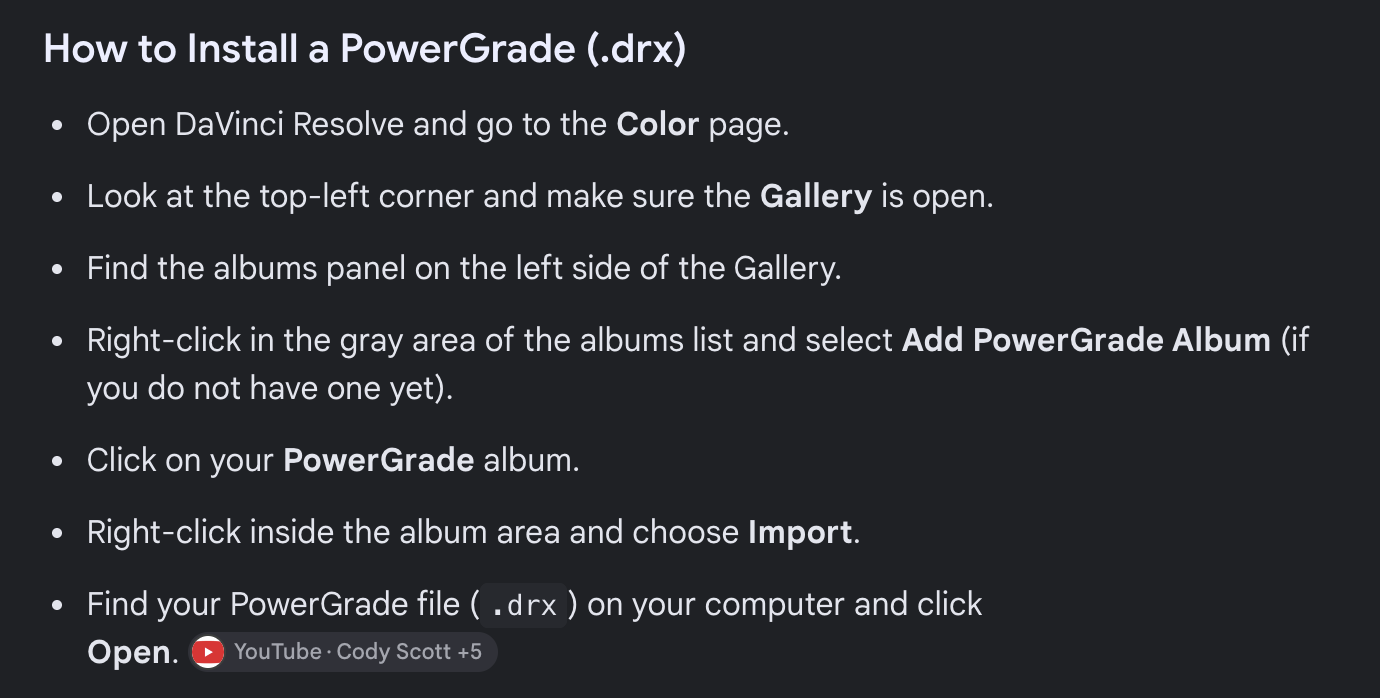
Screenshot of a tutorial on how to install a PowerGrade (.drx) file in DaVinci Resolve, with step-by-step instructions listed.

Step one:
Follow these instructions to install your new Powergrade into Da Vinci
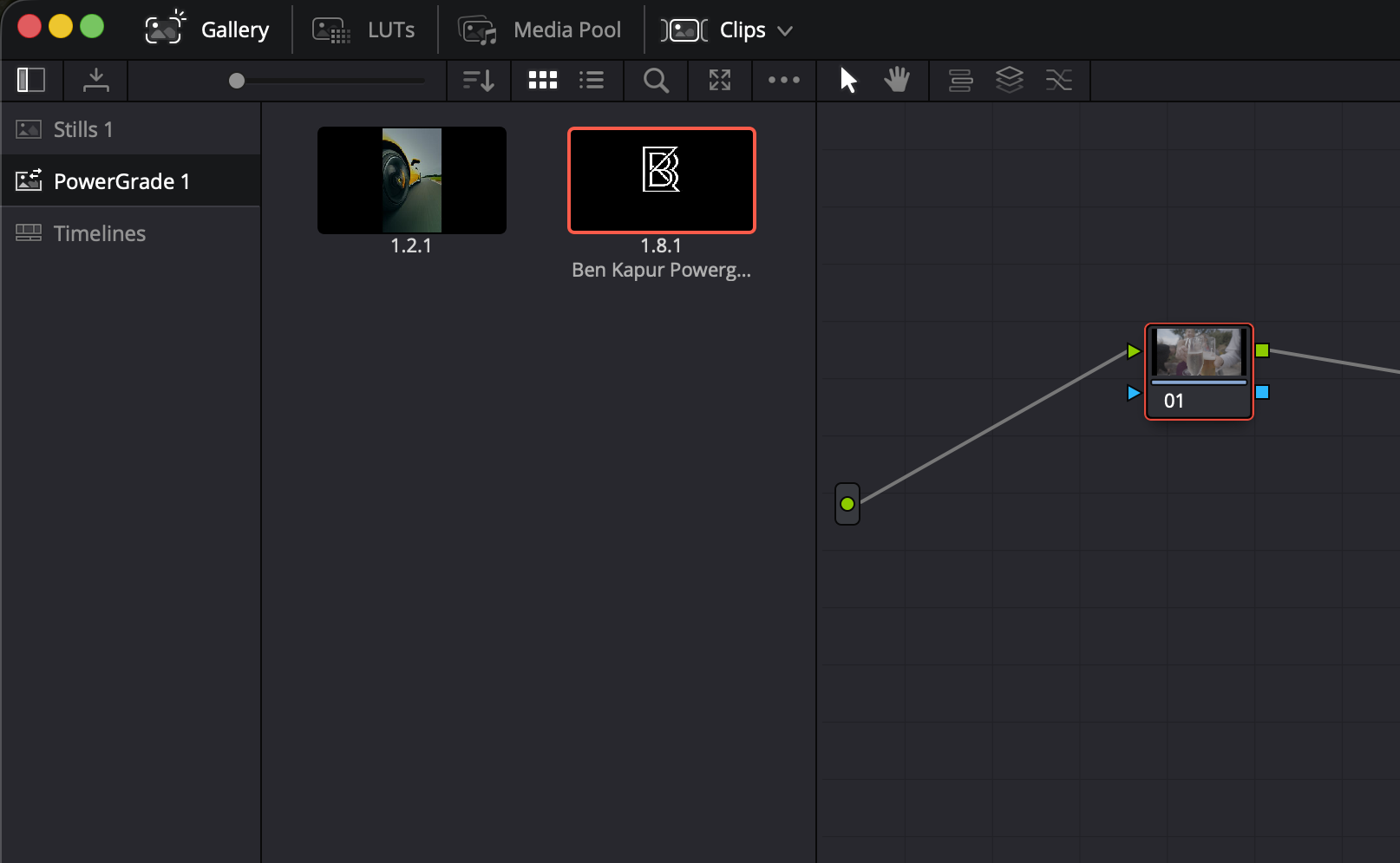
A video editing software interface showing a timeline with clips, including a meme or cartoon character with a drink, and a background of a street scene. Surrounding icons include media pool, LUTs, and clips menu.

Step two:
When you go to “Gallery/Powergrades”
You will see the Powergrade ready to use, drag this into where your nodes go and you will see the powergrade set up and ready to use
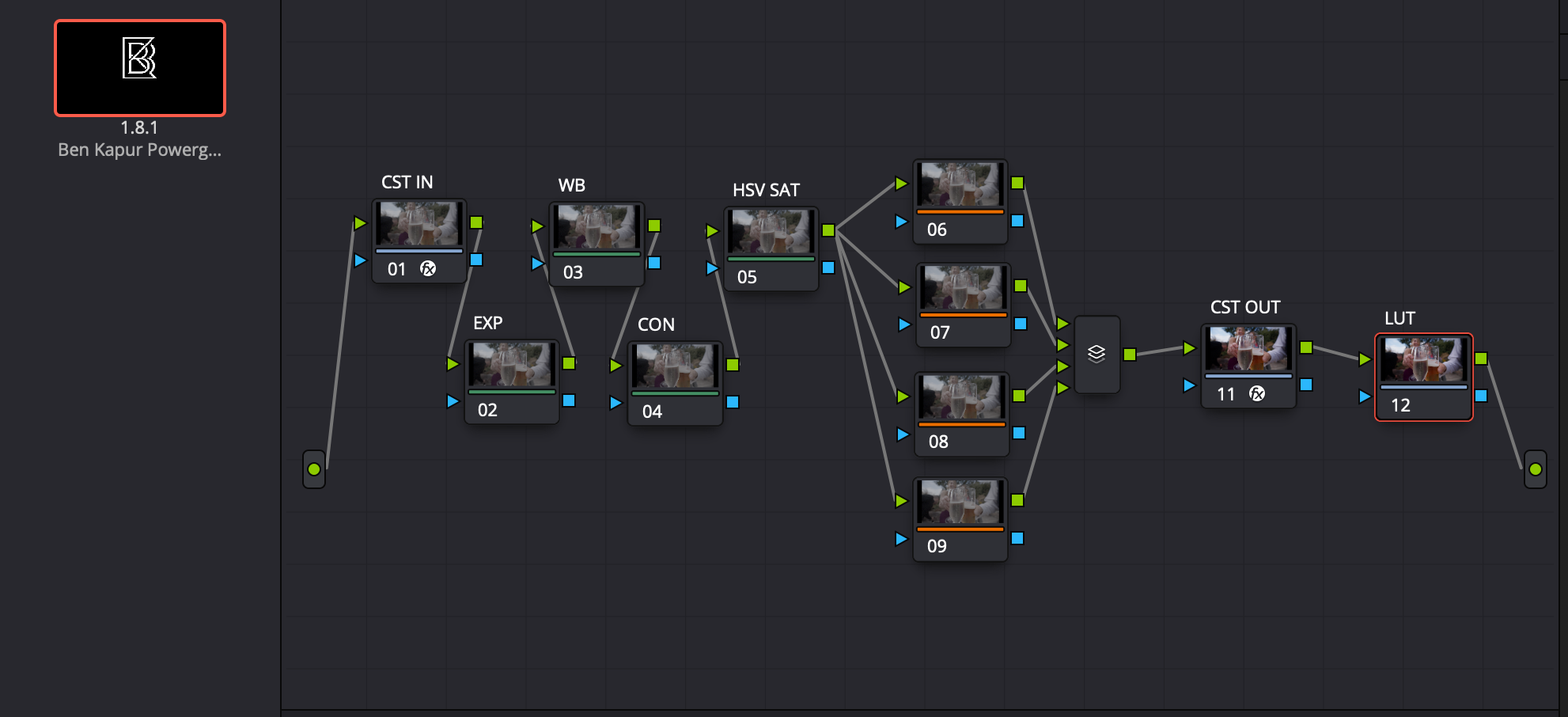
Screenshot of a visual effects node graph in a digital compositing software, showing interconnected nodes labeled with numbers and terms like 'CST IN', 'WB', 'HSV SAT', and 'CST OUT' with small preview images of a scene involving people and drinks.

Step three:
Your node tree is built and ready to use
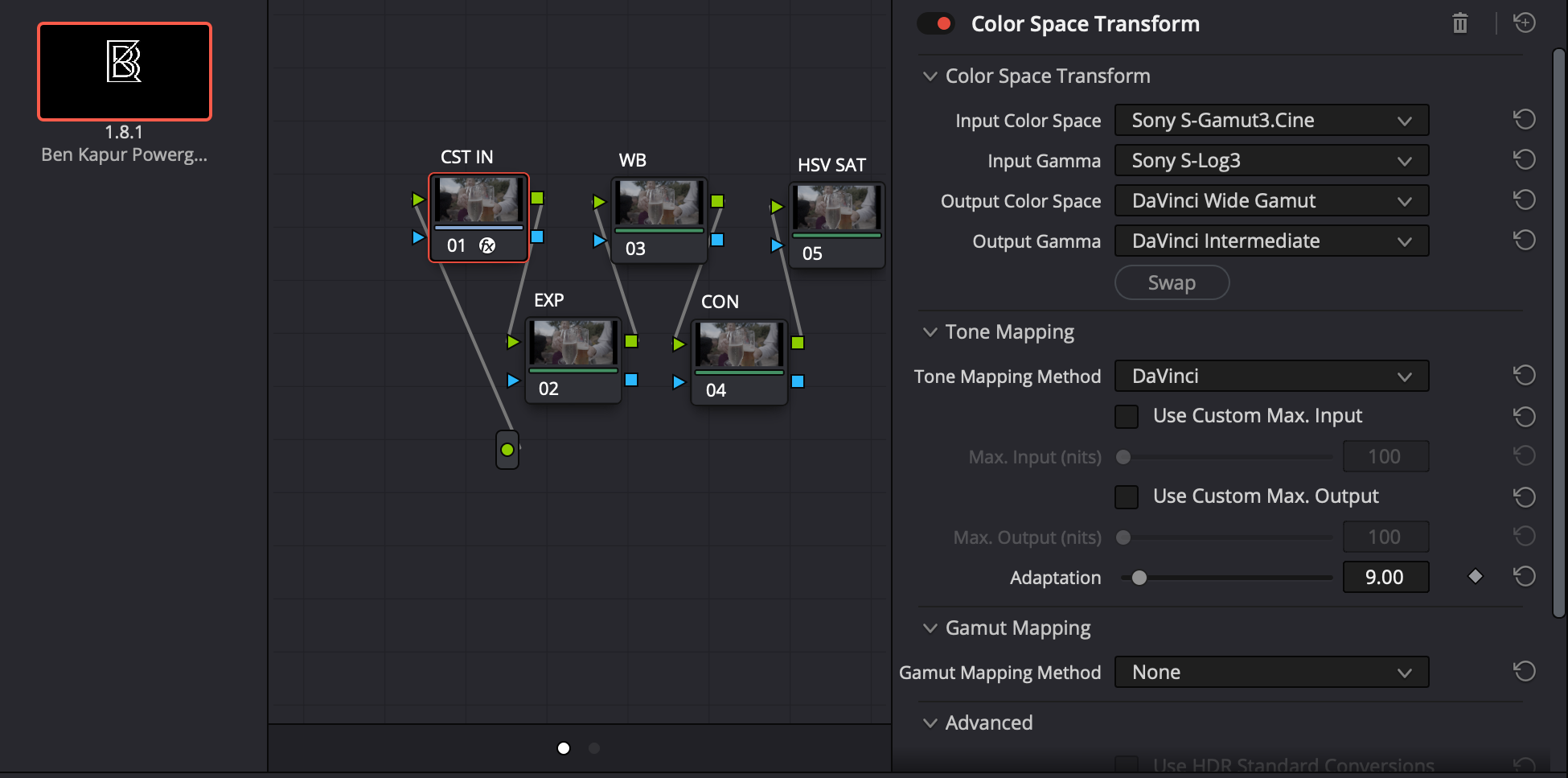
Screenshot of a color space transformation workspace with nodes and settings, including input and output color space options, tone mapping, and gamma adjustments.

Step four:
If you are not using Sony sLog3 and you are using another camera brand, the only thing you will need to do is change the “CST IN” to your Input colour space and Input Gamma