Sale Price:
£5.99
Original Price:
£7.99
The Ben Kapur Cinematic LUT Pack gives you three creative looks for DaVinci Resolve. Each one is subtle and filmic rather than a heavy filter, so your footage looks graded without ever looking overdone. Have a look at the comparison images to see the difference between all three.
CINE: my most subtle look. Gently lifted shadows with a soft cool tone, rolled off highlights and natural skin tones.
CINE WARM: a warmer, richer take with a touch more contrast, warm skin tones and a golden hour feel.
BAHA: the punchiest of the three, with deeper contrast, rich greens and blues and softly rolled highlights.
All three are built to slot straight into the LUT node of my free DaVinci Resolve Powergrade. Download the free Powergrade here first.
What you get: three LUTs (CINE, CINE WARM and BAHA, all .cube, 33 point) and a step by step PDF guide showing you how to install them in DaVinci Resolve.
Please note: these are creative LUTs, not conversion LUTs. They won’t convert log footage on their own, so use them after your colour space transform or on Rec.709 footage. You can use them in any grade, and they also work in Premiere Pro, Final Cut Pro and any software that supports .cube LUTs.
The Ben Kapur Cinematic LUT Pack gives you three creative looks for DaVinci Resolve. Each one is subtle and filmic rather than a heavy filter, so your footage looks graded without ever looking overdone. Have a look at the comparison images to see the difference between all three.
CINE: my most subtle look. Gently lifted shadows with a soft cool tone, rolled off highlights and natural skin tones.
CINE WARM: a warmer, richer take with a touch more contrast, warm skin tones and a golden hour feel.
BAHA: the punchiest of the three, with deeper contrast, rich greens and blues and softly rolled highlights.
All three are built to slot straight into the LUT node of my free DaVinci Resolve Powergrade. Download the free Powergrade here first.
What you get: three LUTs (CINE, CINE WARM and BAHA, all .cube, 33 point) and a step by step PDF guide showing you how to install them in DaVinci Resolve.
Please note: these are creative LUTs, not conversion LUTs. They won’t convert log footage on their own, so use them after your colour space transform or on Rec.709 footage. You can use them in any grade, and they also work in Premiere Pro, Final Cut Pro and any software that supports .cube LUTs.

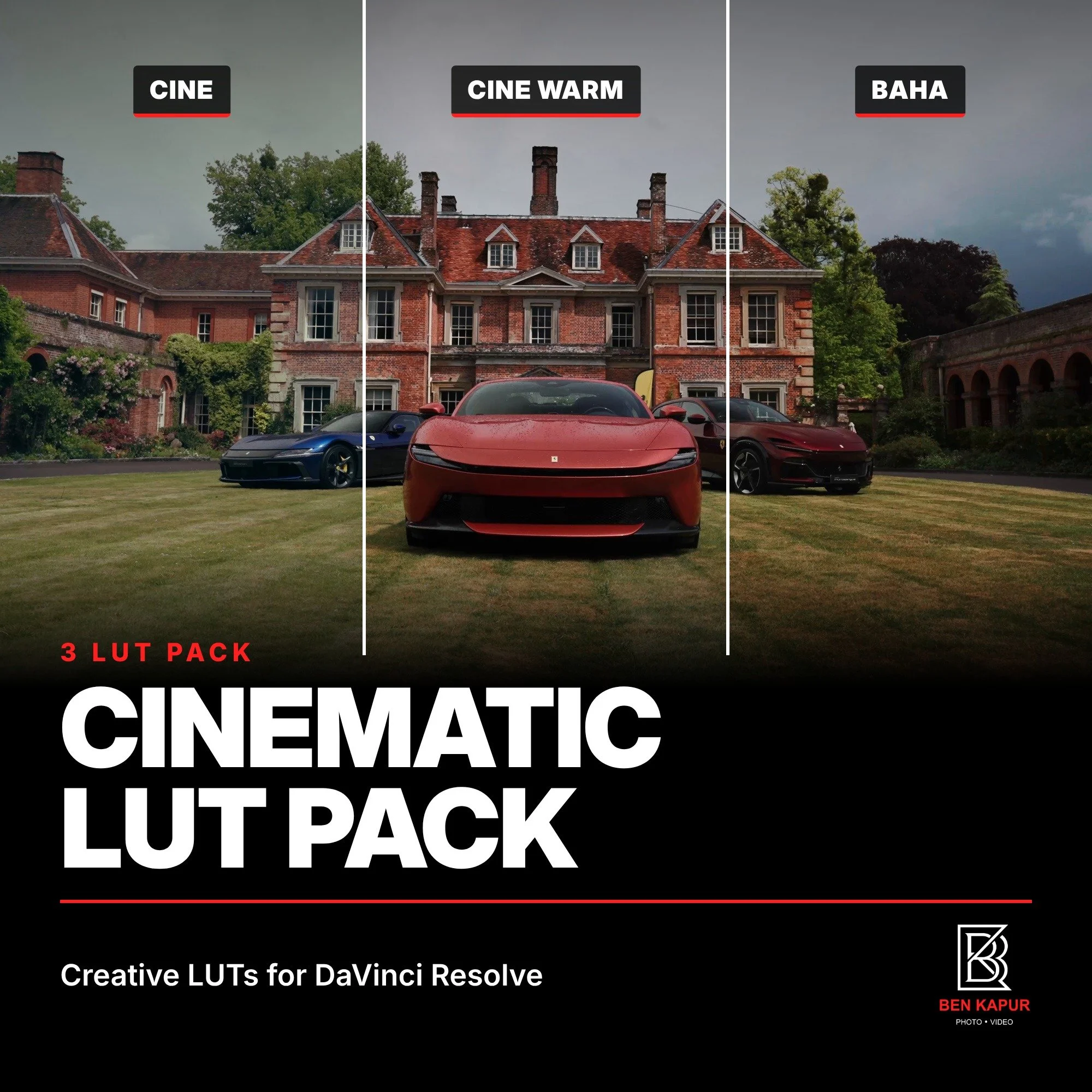 Image 1 of 7
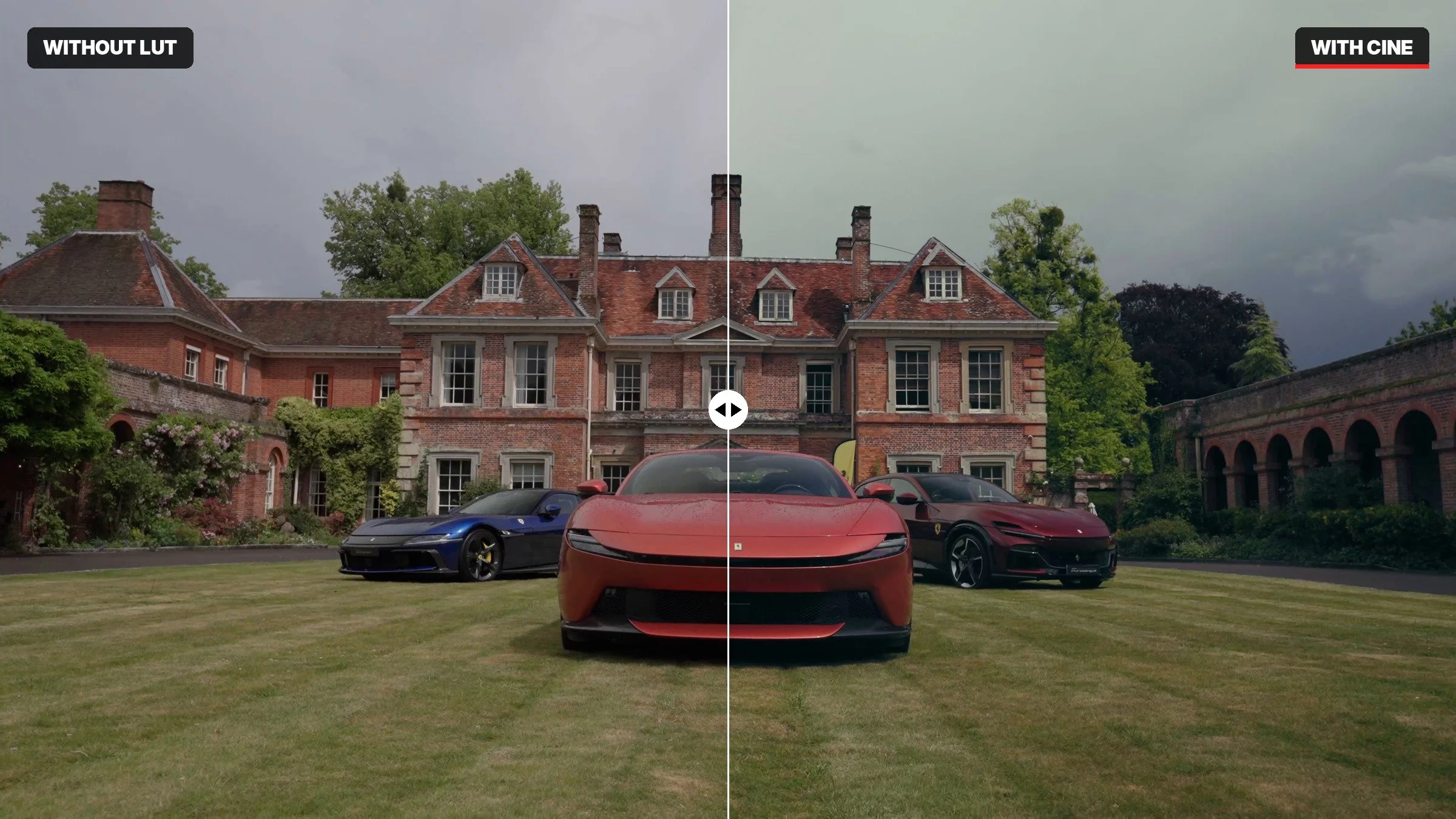 Image 2 of 7
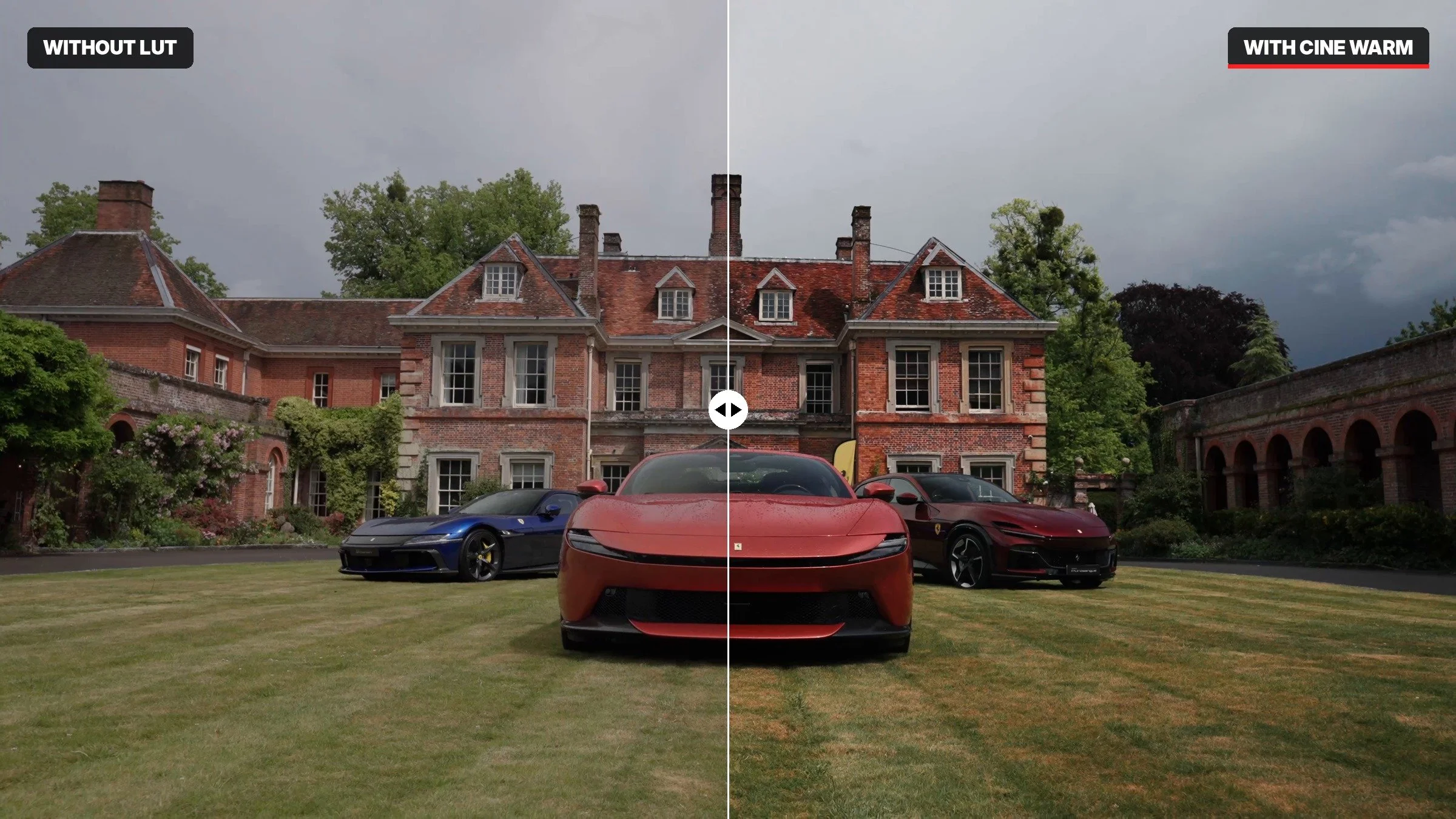 Image 3 of 7
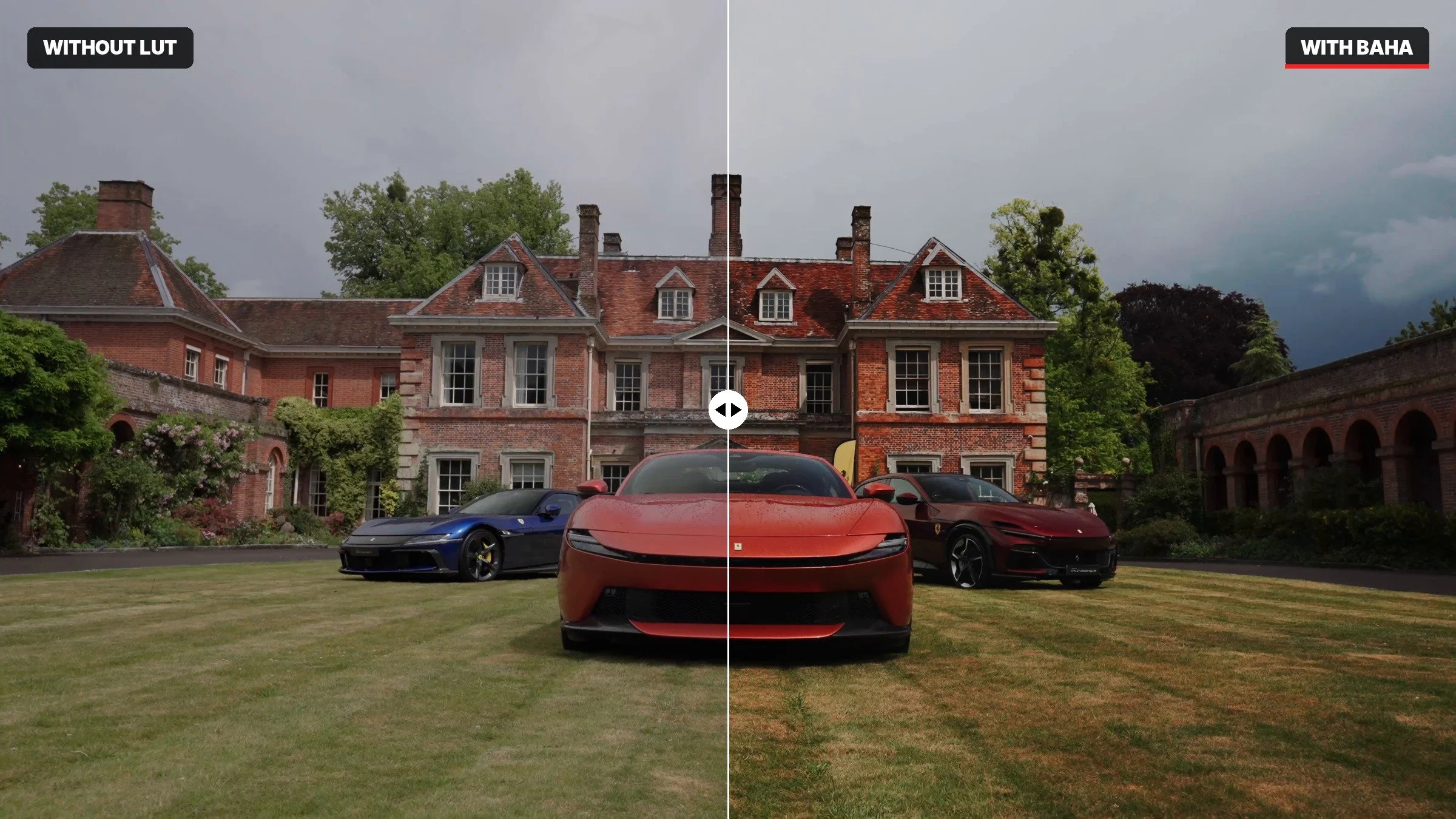 Image 4 of 7
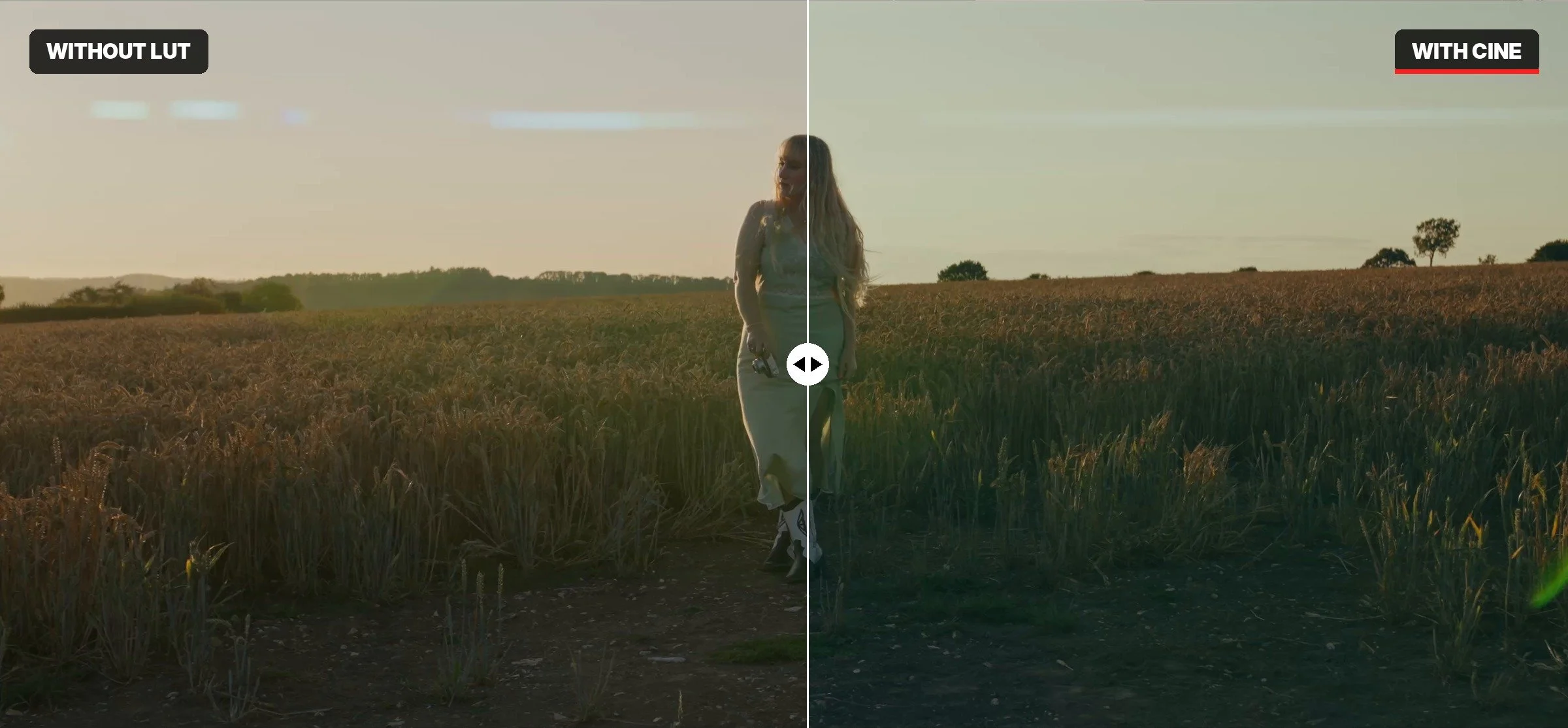 Image 5 of 7
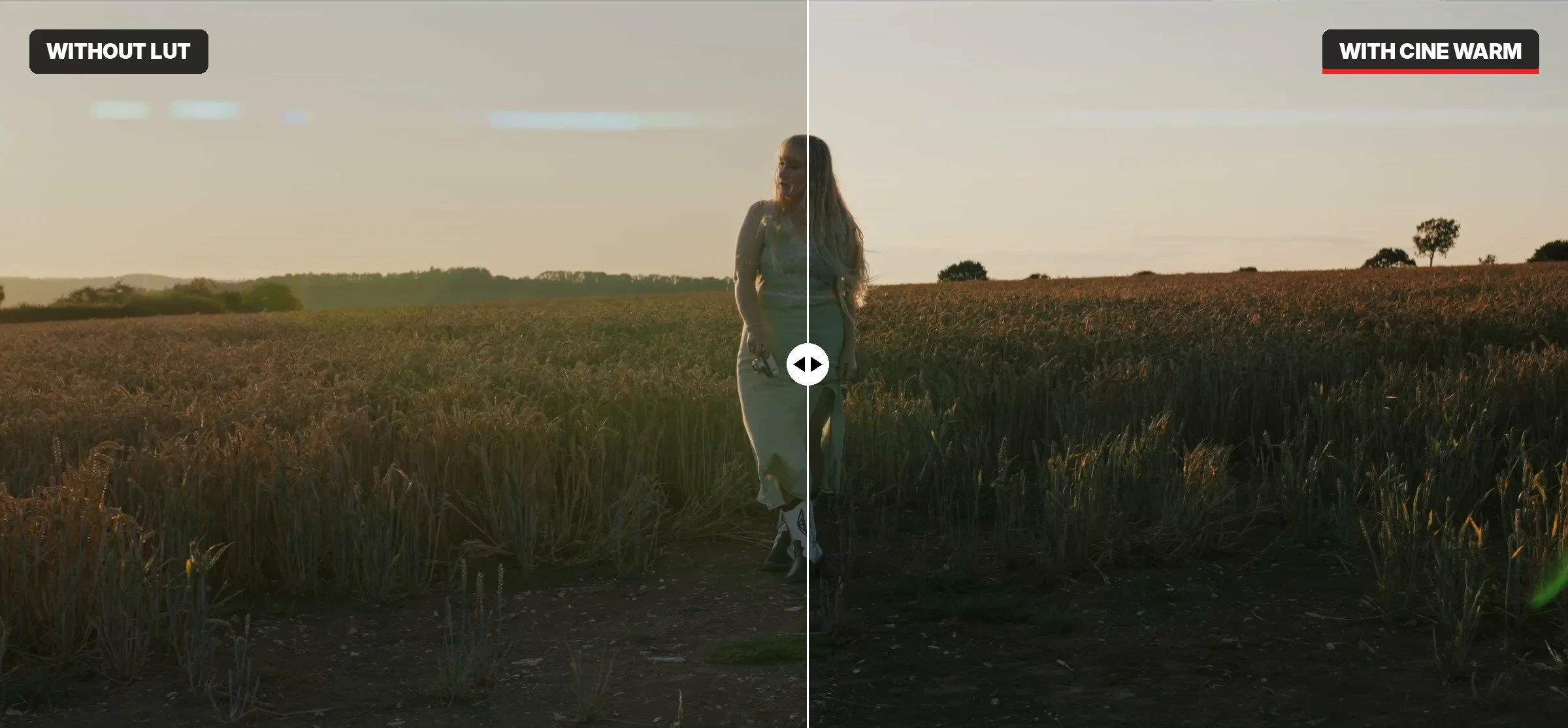 Image 6 of 7
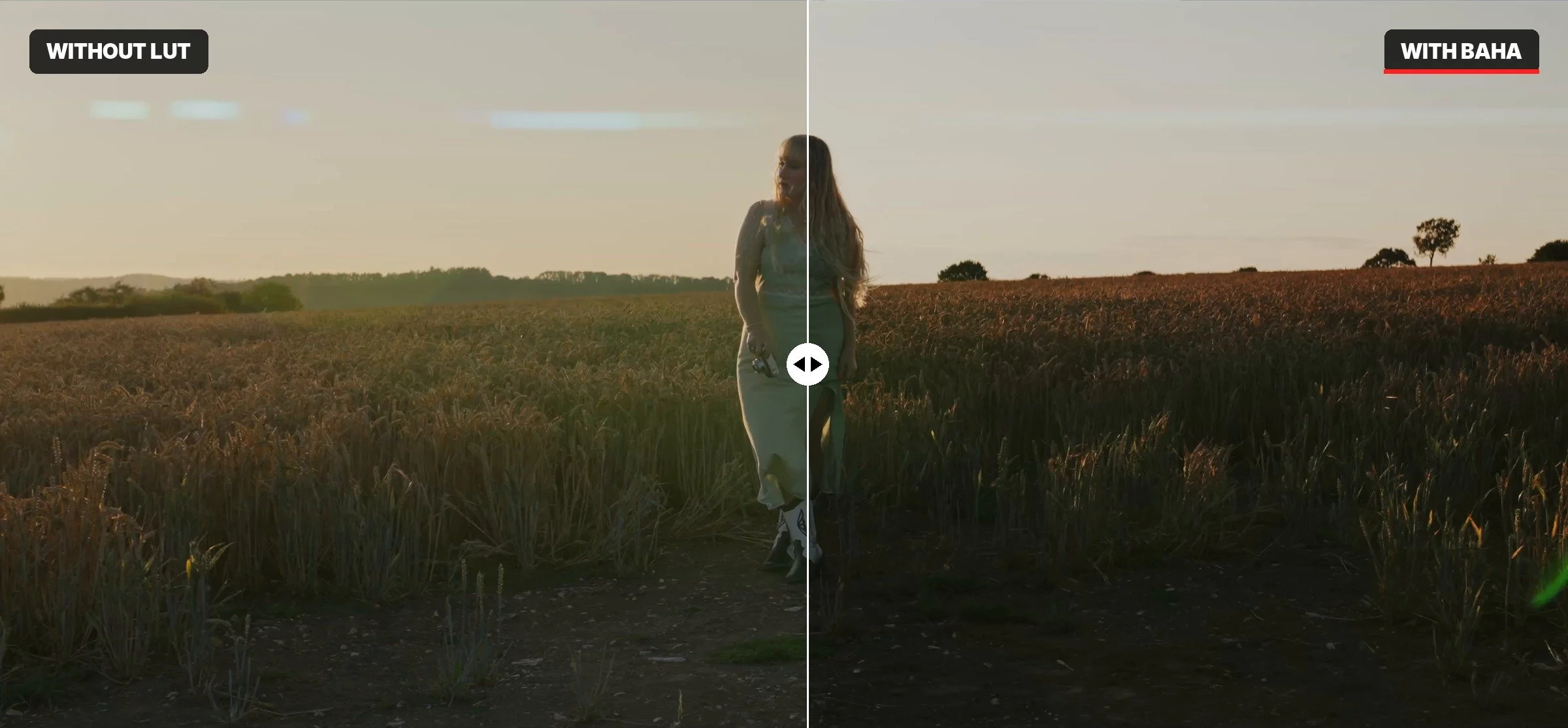 Image 7 of 7