
Insta360 X6 Unboxing: Behind The Scenes Photographing Kingfishers
I have been saying for months that I want more behind the scenes footage from my shoots, and the truth is I have never had the right tool for it. Running a second camera on a tripod means static shots that miss half of what actually happens. Asking someone else to film me means paying for another body on set. So when the Insta360 X6 arrived, I knew exactly where I wanted to put it through its paces first, not on a car shoot or a studio set, but somewhere far quieter. A kingfisher hide.
If you follow my channel you will know wildlife is not my usual world. Cars, documentary work and brand content take up most of my year. But a kingfisher hide is a brilliant stress test for a camera like this. You are sat still for hours, light changes constantly, sound travels, and the last thing you want is a camera that gets in the way of the job you are actually there to do. This post is my full breakdown of the X6 itself, and where it does and does not earn a place in a working photographer's kit.
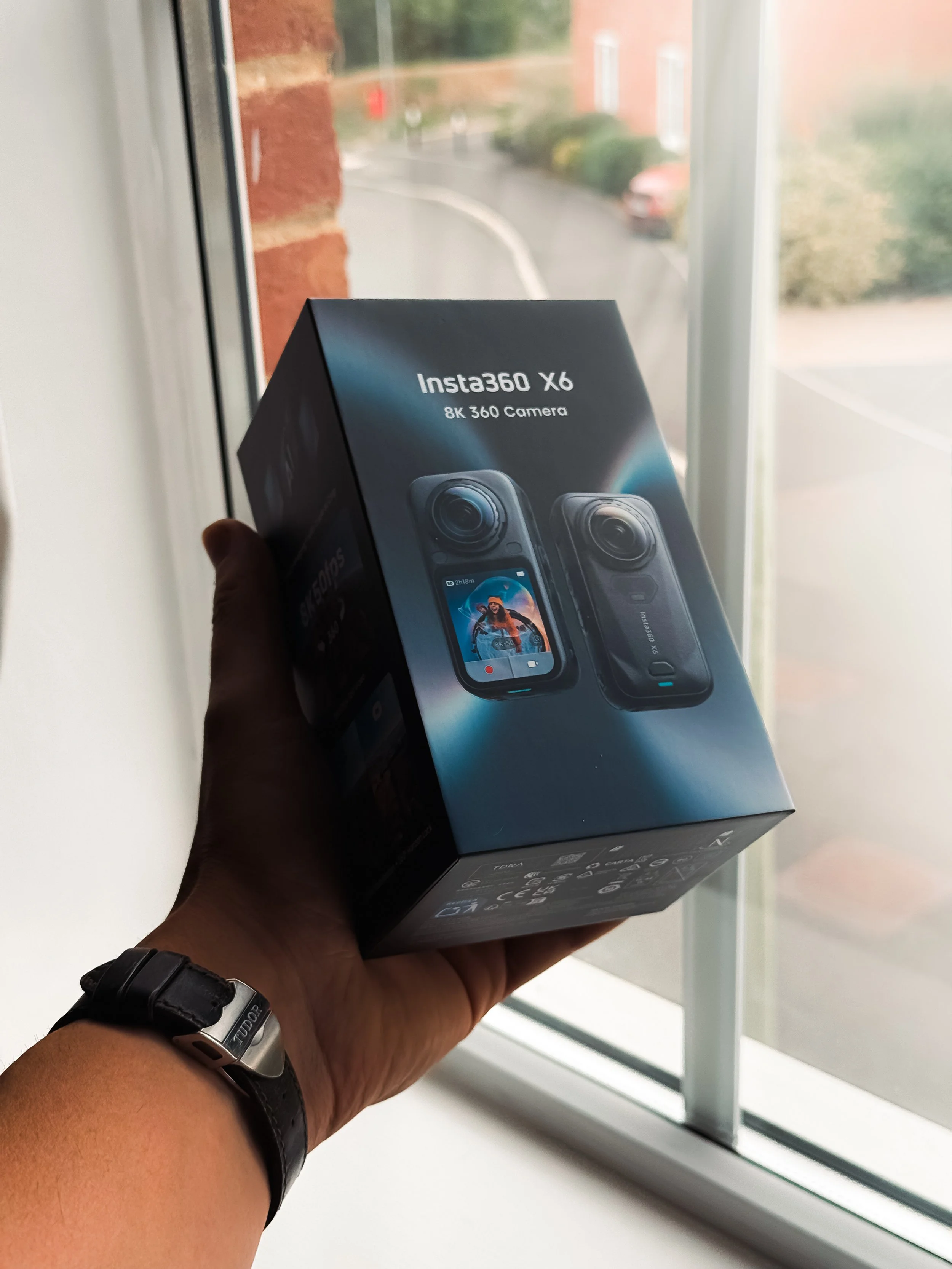
The Insta360 X6
What the Insta360 X6 Actually Is
For anyone who has not followed the 360 camera space closely, the X6 is Insta360's new flagship. It shoots two things at once through its dual lenses and stitches them together into a full 360 degree sphere, which you can then reframe afterwards into normal flat video, almost like having a camera operator built into the footage itself.
The headline upgrades over the previous X5 are substantial. Insta360 has moved to dual custom 1/1.1 inch sensors, around a third larger than before, which is where most of the real world improvement comes from. That larger sensor area feeds into:
Native 8K at 50fps 360 video, with 10 bit colour and an I Log profile for grading
6K at 60fps and 4K at 100fps as alternative 360 options
A single lens flat mode at up to 5K60 or 4K120 for slow motion, with a 170 degree ultra wide field of view
120MP still photos in 360 mode, or 42MP flat photos
Dolby Vision support recorded straight in camera, a first for a 360 camera
14.5 stops of claimed dynamic range
Underneath all of that sits a new 4nm chip alongside two dedicated imaging processors, which Insta360 quote as roughly five times the computing power of the X5. That extra power is what makes the AI features feel usable rather than gimmicky, more on that below.
Unboxing and First Impressions
Out of the box the X6 feels noticeably more grown up than earlier Insta360 cameras. The body is shorter and more compact, the buttons on the bottom edge have gone entirely, and the new 2.32 inch OLED screen is genuinely bright, Insta360 quote 1200 nits peak brightness and I believe it. Checking framing in direct sunlight has always been the weak point of action cameras and this is the first one where I did not need to shade the screen with my hand.
The lens system is now Replaceable Lens 2.0, and Insta360 claim it is five times more scratch resistant than before, tested against steel wool in their labs. Anyone who has scratched an action camera lens on a strap buckle or a bit of grit will appreciate that this is not a small thing. Being able to swap a damaged lens cheaply rather than replace the whole unit matters a lot if you are putting a camera through the sort of conditions a hide involves, mud, damp reeds and low branches included.
Battery life is one of the areas Insta360 clearly focused on. The 2600mAh cell is rated for 140 minutes of 8K30 recording, which they say is a 51 percent increase on the X5, and it will fast charge to 80 percent in 24 minutes. Waterproofing is rated to 20 metres without a case, IP68 overall, and it will run happily from minus 20 to 40 degrees celsius. None of that matters if a camera cannot survive a morning by a river, so it is good to see it built in as standard rather than sold as an accessory.
Watch the full video here: https://youtu.be/NPEGz8IJSMo
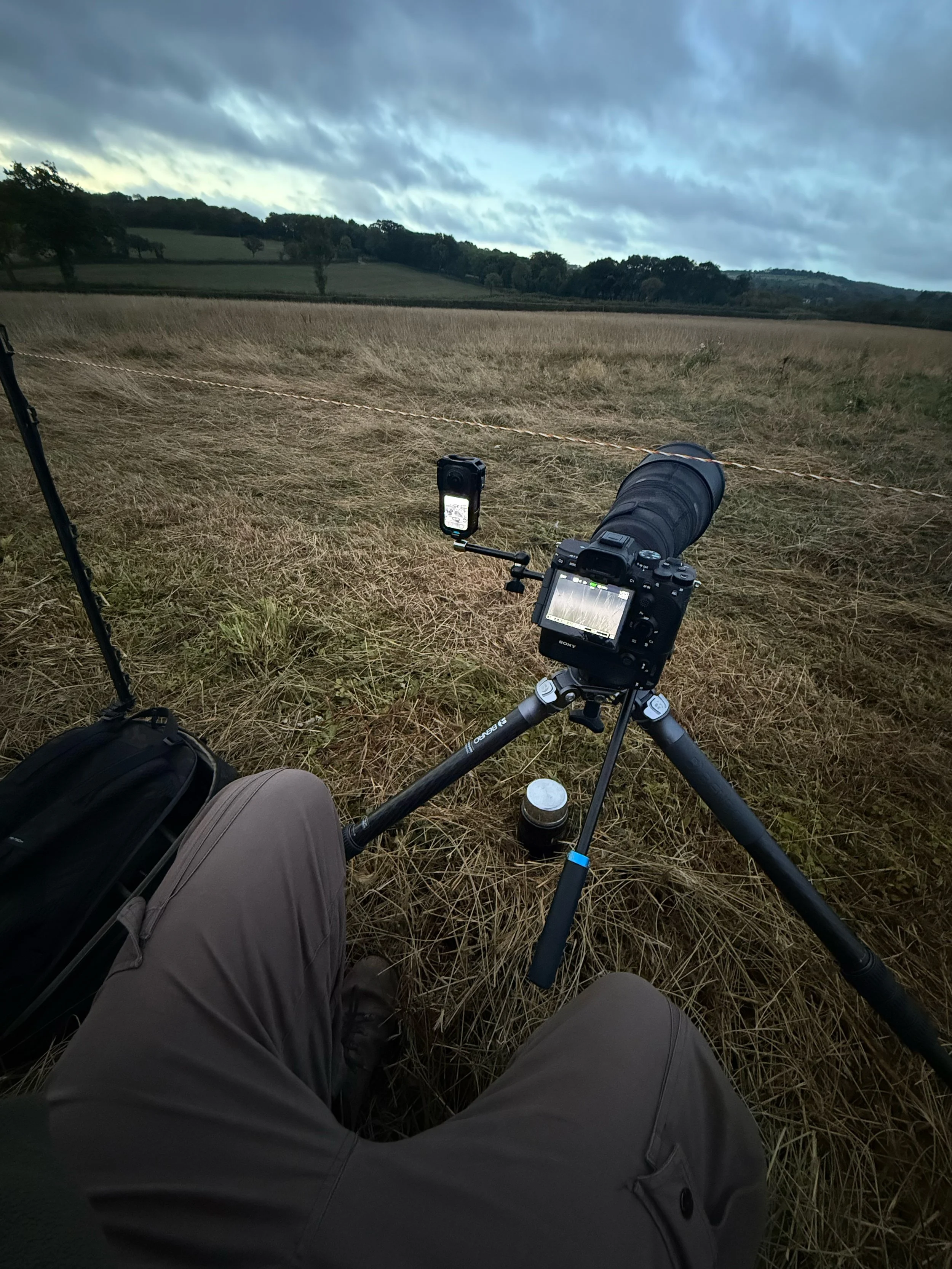
X6 in Action
Taking It Into the Hide
This is where the X6 earned its keep. I set it up on a small tripod at the edge of the hide, angled to catch the whole space including me, my main camera, and the perch the kingfishers use, and left it running while I concentrated on the actual photography.
A few things stood out from actually using it for a real shoot rather than a demo:
It is genuinely quiet and unobtrusive. No moving parts, no red recording light drawing attention, and small enough that it does not change the shape of the hide the way a second tripod and DSLR would. For anything involving wildlife, or for documentary work where you do not want a big camera changing how people behave, that matters.
FlowState stabilisation and 360 Horizon Lock hold up. Even with the tripod on slightly uneven ground, the footage stays level and smooth without me touching a single setting. For behind the scenes work you are not going to babysit a second camera, so stabilisation that just works is the whole point.
InstaFrame 2.0 turned hours of raw 360 footage into something usable in minutes. Rather than scrubbing through a static 360 sphere afterwards, the software tracks the subject, in this case me and my main camera setup, and automatically reframes it into a normal flat edit. That is genuinely the feature that makes a 360 camera worth using for this kind of work rather than a second flat action camera.
Low light in a hide before sunrise is still a challenge. The larger sensors are a real improvement over what I would expect from a smaller action camera, but a hide at first light is dim, and 360 cameras are still working with two small lenses rather than one large one. Footage from the brighter parts of the morning looked excellent. The very earliest, darkest minutes needed a bit more grading to clean up.
I still had a NiSi filter on the front of my main camera for the kingfishers themselves, and if you want to try the Jetmag system I use every day, my code Kapur-discount gets you money off at NiSi, at nisioptics.co.uk.
Audio and the AI Editing Tools
The 360 windproof microphones did a solid job by the water, which is normally a difficult environment for on camera audio. There is also a hidden mic option built in for anyone shooting from a vehicle or bike, and Insta360 Direct Connect now supports two wireless mics running at once, useful if you are filming an interview and want to capture BTS audio at the same time.
On the software side, the new PanoMind AI model sits behind most of the automatic features, including AI Director, which will assemble a rough cut of your footage with framing, cuts and transitions already applied. I would not use it for anything I am delivering to a client, but for a quick behind the scenes clip for Instagram or YouTube it genuinely saves time, and it is a good starting point to edit from rather than a finished product.
Who the X6 Is Actually For
At around £620 for the standard bundle in the UK, the X6 sits well above cameras like the GoPro Max 2 or DJI Osmo 360, and that price is worth being honest about. This is not an impulse buy. What you are paying for is the combination of three cameras in one body, a proper 360 capture device, a gimbal like action camera, and a flat video camera, plus the software that makes reframing that 360 footage actually practical rather than a chore.
For photographers and videographers who already juggle multiple bodies on a shoot, that combination is genuinely useful. Rather than adding a second operator or a second tripod for behind the scenes coverage, the X6 lets you set one small camera down and get on with the job in front of it. That is exactly the gap I wanted to fill, and after this first shoot it has done exactly that.
I will be using the X6 across more of my jobs over the coming months, including the car and documentary work that makes up most of my year, and I will report back on how it holds up once it has had a proper run through winter conditions.
If you want to see the actual unboxing and the kingfisher hide session this post is based on, the video is on my YouTube channel, @BenKapurPhoto.
My FREE DaVinci Resolve Powergrade: benkapur.com/my-free-powergrade
NiSi Discount Code: Kapur-discount, usable at nisioptics.co.uk
Follow along: www.benkapur.com | Instagram and Facebook @benkapurphoto
